

What is Plesk
Plesk is a popular panel to manage your server hosted web-projects. This panel allows you to manage "one-touch" of DNS zones, web-domains, databases, emails and so on.
Before install
One of the Plesk advantages is very "democratic" system requirements. To install this panel you must have:
- Server under any x64 Linux or even Windows Server OS;
- Privileged account access;
- At least 512MB of available RAM;
- 1024MB of SWAP-space;
- 10GB Persistent Storage.
Panel setup procedure
To install Plesk on the server under Ubuntu 20.04 please follow these steps:
Recommended Resource
Open Secure Offer
Explore a Premium Online Opportunity
Discover selected digital offers and online tools that may help you grow your projects, business, and productivity.
- Login as privileged user;
- Update current system packages;
apt-get update && apt-get upgrade -y
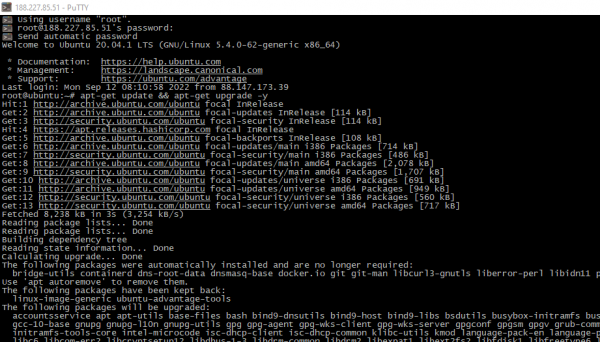
- Reboot your server to initialize new software, including the new kernel;
- Install wget tool to acquire setup script;
apt install -y wget
- Download initial file and run it;
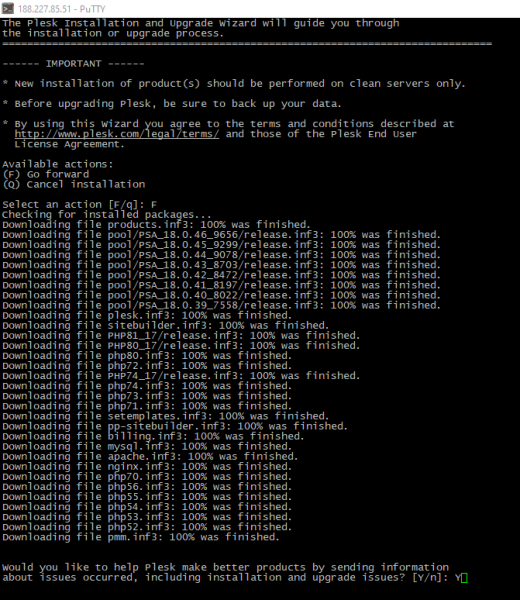
cd /tmp && wget http://autoinstall.plesk.com/plesk-installer && bash plesk-installer

- Agree with the EULA, accept or decline participation in quality improvement programme;
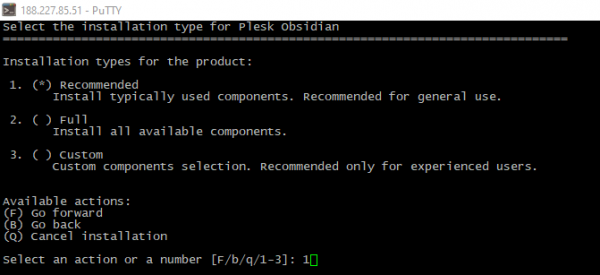
- Select one of the predefined service sets. The first option is sufficient in most cases. Then confirm your choice;
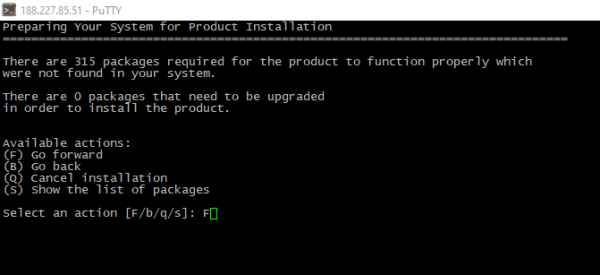
If the installation is successful, you should see a picture like the one below:
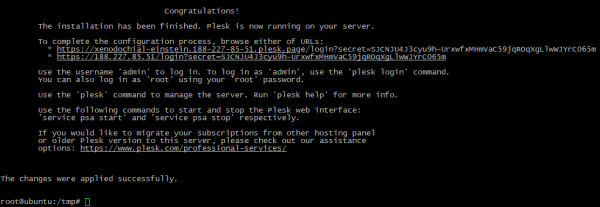
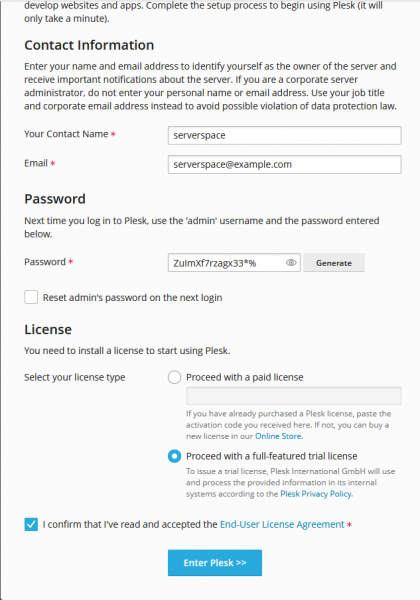
- Open the provided one-time URL in your browser and set your own access credentials;
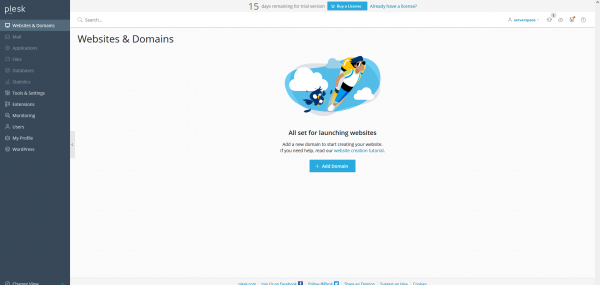
- When the setup scripts finish their work, the panel will be ready to use:
Summary
After reading this article, you know about the Plesk panel, its intended uses, system requirements, and installation steps.

Questions & Comments
Ask something about this post or request help from the community.
No comments yet. Be the first to ask a question.