

Best AI Tools and Platforms Worth Using in 2026
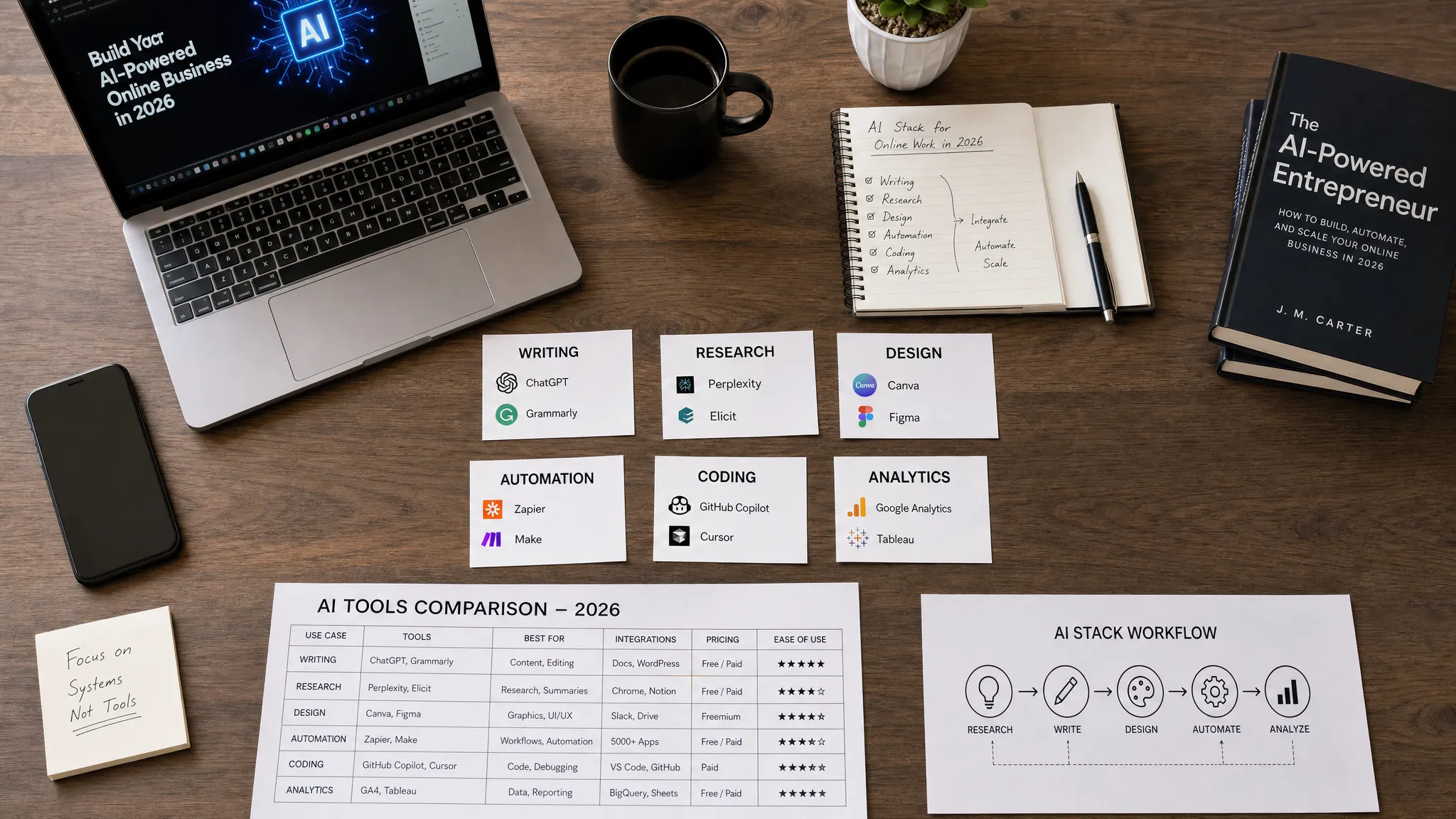
Choosing AI software in 2026 is no longer about finding the newest shiny app. The real challenge is deciding which AI tools and platforms actually deserve a place in your daily workflow. There are thousands of options, many of them promising faster content, better SEO, smarter automation, and easier online business growth. Some deliver. Many do not.
The best AI tools in 2026 share one thing: they help you produce better work with less friction. They do not replace strategy, taste, experience, or critical thinking. Instead, they help you research faster, write more clearly, design better assets, automate repetitive tasks, analyze data, and launch projects with fewer bottlenecks.
AI adoption is also becoming mainstream. The Stanford AI Index Report highlights how quickly businesses have moved from experimentation to real AI deployment. That means the competitive advantage is no longer simply using AI. The advantage is knowing which tools to use, how to combine them, and where human judgment still matters.
This guide focuses on AI tools and platforms worth using in 2026 for creators, marketers, SEO professionals, startup founders, freelancers, developers, and anyone building an online income stream.
What makes an AI tool worth using in 2026?
A useful AI tool should save time, improve quality, or create a capability you did not have before. If it only gives average outputs that require heavy rewriting, complicated setup, or constant troubleshooting, it may not be worth the subscription.
Before choosing a tool, judge it against practical criteria rather than hype. The best AI stack is not always the one with the most features. It is the one that fits your workflow and produces measurable results.
| Evaluation factor | What to check | Why it matters |
|---|---|---|
| Output quality | Accuracy, clarity, tone control, and consistency | Poor outputs waste more time than they save |
| Workflow fit | Integrations with your browser, CMS, email platform, documents, or code editor | AI works best when it lives where you already work |
| Privacy and control | Data retention options, team permissions, and enterprise settings | Important for client work, business data, and sensitive projects |
| Learning curve | How fast you can get useful results without complex setup | Beginners need tools that are powerful but not overwhelming |
| Scalability | Team features, API access, automation, and templates | A tool should still work when your business grows |
| ROI | Time saved, revenue created, or quality improved | The goal is better outcomes, not more software bills |
For individuals, the main question is simple: does this tool help you create, learn, sell, or deliver work faster? For businesses, the question is bigger: can this platform improve a repeatable process across the team while staying secure and compliant?
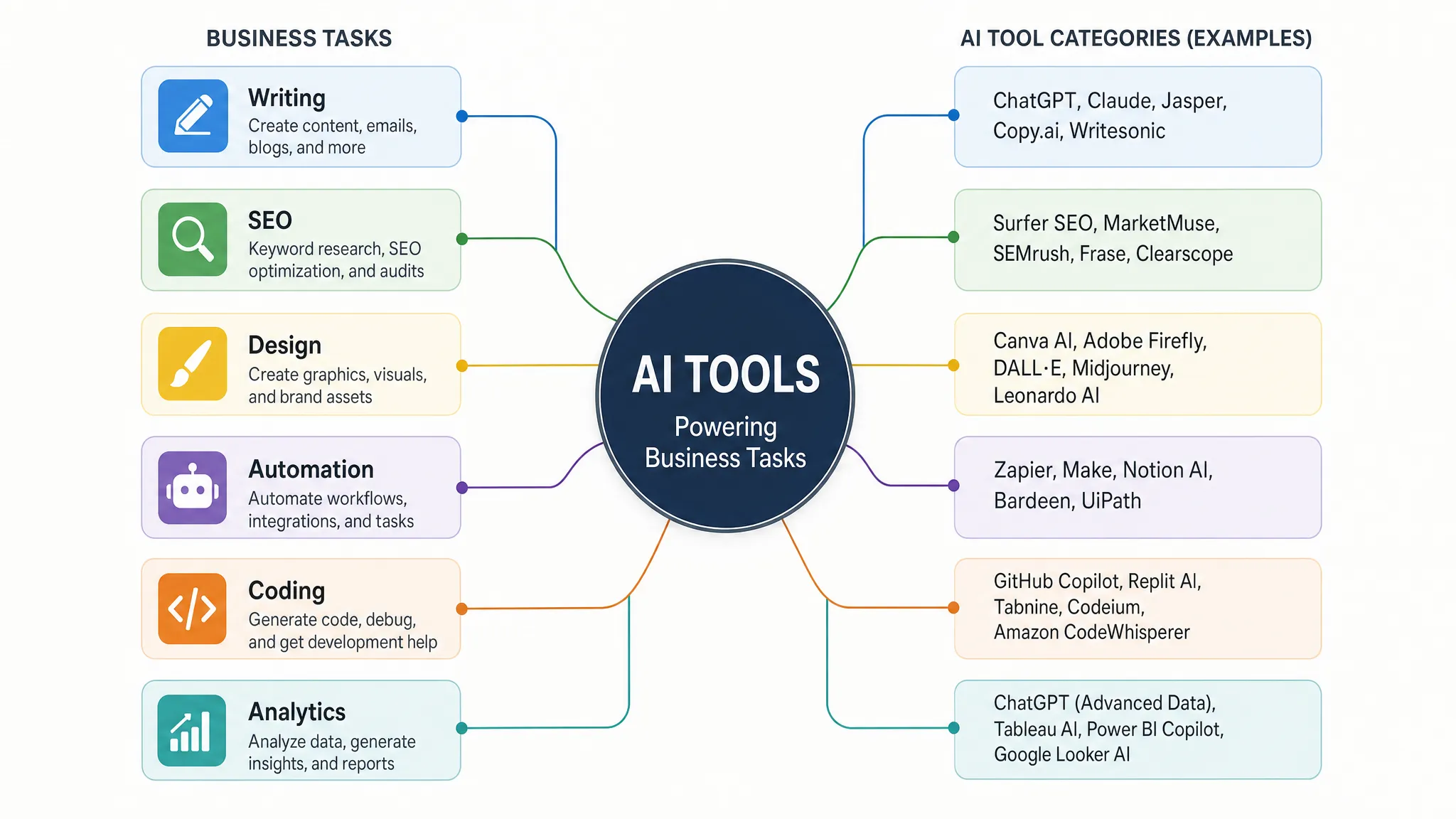
Quick comparison: best AI tools and platforms in 2026
Here is a practical shortlist of AI tools and platforms worth considering in 2026. You do not need all of them. Most users are better off choosing a small, focused stack based on their main goal.
| Tool or platform | Best for | Why it is worth using | Best fit |
|---|---|---|---|
| ChatGPT | General AI assistant, writing, brainstorming, analysis | Strong all-rounder for daily productivity and content workflows | Creators, marketers, freelancers, teams |
| Claude | Long-form writing, editing, reasoning, document analysis | Excellent for careful writing, structured thinking, and lengthy context | Writers, analysts, business users |
| Gemini | Google ecosystem, research, productivity | Useful if your work already depends on Google apps and search | Google Workspace users, students, teams |
| Perplexity | AI research and source discovery | Gives source-linked answers that help with research and fact-checking | Bloggers, researchers, SEO professionals |
| Notion AI | Knowledge management and workspace productivity | Helps summarize, rewrite, organize, and turn notes into usable assets | Teams, creators, project managers |
| Microsoft Copilot | Office productivity | Useful for businesses already working in Word, Excel, PowerPoint, Outlook, and Teams | Companies using Microsoft 365 |
| Canva AI | Design, presentations, social media visuals | Beginner-friendly creative production for non-designers | Creators, small businesses, marketers |
| Midjourney | AI image generation | Strong for stylized visuals, concept art, and creative inspiration | Designers, creators, brand builders |
| Adobe Firefly | Commercial creative workflows | Fits users who already work inside Adobe products | Designers, agencies, creative teams |
| Runway | AI video generation and editing | Useful for video concepts, short-form content, and creative production | Video creators, agencies, marketers |
| Cursor | AI-assisted coding | Brings AI directly into the coding workflow | Developers, technical founders, startups |
| GitHub Copilot | Code suggestions and developer productivity | Mature coding assistant inside popular development environments | Developers and engineering teams |
| Zapier AI | No-code automation | Connects apps and helps automate repetitive business tasks | Solopreneurs, agencies, operations teams |
| Make | Visual automation workflows | Flexible workflow building for more customized automations | Advanced automators, agencies, startups |
| Surfer SEO | SEO content optimization | Helps align content with search intent and on-page SEO signals | Bloggers, affiliate marketers, SEO teams |
| HubSpot AI | CRM, marketing, sales productivity | Useful for teams that want AI inside customer and campaign workflows | Growing businesses and marketing teams |
Best all-around AI assistants for daily work
ChatGPT
ChatGPT remains one of the most useful AI tools for general work in 2026 because it can support many tasks from one interface. You can use it for brainstorming, outlining blog posts, simplifying complex topics, drafting emails, creating scripts, analyzing information, and improving workflows.
Its biggest strength is versatility. A blogger can use it to generate article angles. A freelancer can turn client notes into a proposal. A founder can use it to plan a landing page, draft outreach emails, and think through a product launch. For many users, ChatGPT is the first AI tool worth learning deeply because prompt quality and workflow design carry over into other AI platforms.
The main limitation is that outputs still need review. For SEO content, business decisions, financial advice, legal topics, or technical tutorials, you should verify facts and add real expertise. ChatGPT is best used as a thinking partner and production assistant, not as an autopilot content machine.
Claude
Claude is especially strong for long-form writing, editing, summarization, and careful reasoning. Many writers, marketers, and business users like it for turning rough ideas into polished content while keeping a natural tone.
Claude is useful when you need to work with longer documents, compare arguments, rewrite content with nuance, or create structured drafts. It can help with blog articles, newsletters, SOPs, reports, product descriptions, and client communications.
If your work depends on quality writing rather than only speed, Claude deserves a serious test. Run the same writing prompt through multiple assistants and compare which one needs the least editing for your style.
Gemini
Gemini is a strong choice for users who already rely on Google services. It works well for research, productivity, and everyday assistance, especially when your workflow is connected to Google Search, Docs, Sheets, Gmail, or Workspace tools.
Gemini is useful for students, creators, and business users who want AI support close to their existing Google environment. It can help with summarizing information, planning content, drafting documents, generating ideas, and working through data-related tasks.
The best reason to choose Gemini is ecosystem fit. If your team lives in Google Workspace, a Google-native AI assistant may feel more natural than adding another separate tool.
Perplexity
Perplexity is one of the most useful AI research tools because it is built around answer discovery with linked sources. Instead of only generating text, it helps you find explanations, references, and supporting material for a topic.
This makes it valuable for bloggers, SEO writers, affiliate marketers, and researchers who need to explore a subject quickly. It can help you understand search intent, compare products, collect source material, and identify questions your audience may ask.
Still, do not treat every citation as automatically perfect. Open the sources, check dates, verify claims, and make sure the evidence supports the final content.
Best AI productivity and automation platforms
Notion AI
Notion AI is useful if you already use Notion for notes, content calendars, project management, documentation, or knowledge bases. It helps turn scattered information into organized action.
For creators, it can summarize research notes, turn ideas into content briefs, and help manage publishing workflows. For teams, it can support meeting notes, internal documents, project updates, and knowledge management.
Notion AI is not just a writing tool. Its value comes from being inside the workspace where your tasks, notes, and documents already live.
Microsoft Copilot and Gemini for Workspace
For businesses, AI inside the office suite may be more valuable than a standalone chatbot. Microsoft Copilot is designed for users working across Microsoft 365 apps, while Gemini for Google Workspace is built for Google Workspace users.
These platforms matter because they reduce switching between tools. AI can help summarize documents, draft emails, prepare presentations, analyze spreadsheets, and support meetings inside the tools employees already use.
The right choice usually depends on your existing ecosystem. If your company runs on Microsoft 365, Copilot is the natural option. If your team runs on Gmail, Docs, Drive, and Sheets, Gemini for Workspace may fit better.
Zapier AI and Make
Automation is where AI becomes especially powerful for online businesses. Zapier and Make help connect apps so repetitive tasks happen automatically.
For example, a lead form submission can create a CRM contact, send a welcome email, notify your team, and add the person to a newsletter segment. AI can help write responses, classify leads, summarize messages, or trigger different workflows based on context.
Zapier is often easier for beginners and fast setup. Make is popular for visual workflow building and more customized automations. Both are worth testing if you run an agency, affiliate site, newsletter, ecommerce store, or service business.
Best AI tools for marketing, SEO, and online business
AI is now part of almost every digital marketing workflow. The best use cases are not mass-producing generic content. The best use cases are research, planning, repurposing, personalization, testing, and optimization.
Surfer SEO
Surfer SEO is useful for creators and SEO teams who want help aligning content with search intent and on-page optimization. It can support content briefs, keyword usage, article structure, and competitive analysis.
The key is to avoid writing only for a score. A high optimization score does not guarantee rankings if the article lacks originality, expertise, helpful examples, or real value. Use Surfer as a guide, then improve the content with your own insights, screenshots, case studies, comparisons, and experience.
If you are new to SEO, start with foundational strategy first. You can also read our guide on SEO for beginners in 2026 before investing in advanced optimization tools.
Semrush
Semrush remains a strong platform for keyword research, competitor analysis, site audits, backlink research, and content planning. Its AI-related features can support faster analysis, but the real value is the depth of SEO and marketing data.
For affiliate marketers and bloggers, Semrush can help identify profitable topics, analyze competing websites, and find gaps in your content strategy. For agencies, it is useful for reporting, audits, and client campaign planning.
If your budget is limited, you may not need a premium SEO suite immediately. Start with free tools and upgrade when you are publishing consistently or managing client work.
HubSpot AI
HubSpot is worth considering for businesses that want AI connected to CRM, marketing, sales, and customer service workflows. Instead of using AI only to write content, teams can use it in lead management, email workflows, customer communication, and campaign operations.
This matters for growing businesses because marketing does not stop at content creation. You need to capture leads, follow up, segment contacts, track deals, and understand customer behavior.
Explore a Premium Online Opportunity
Discover selected digital offers and online tools that may help you grow your projects, business, and productivity.
For small teams, HubSpot can be powerful, but you should choose it because you need a CRM-centered marketing system, not simply because it includes AI features.
Mailchimp and email marketing AI
Mailchimp and other email platforms increasingly include AI features for subject lines, content suggestions, segmentation, and campaign optimization. These features are useful, but email success still depends on list quality, trust, offers, and consistency.
AI can help you draft newsletters faster, create welcome sequences, test messaging, and repurpose blog content into emails. It cannot fix a weak offer or an audience that did not opt in willingly.
If email is part of your online business strategy, review our guide to email marketing in 2026 for a broader view of what still works.
Best AI creative tools for design, images, and video
Canva AI
Canva is one of the most practical AI design tools for non-designers. It is useful for social media graphics, presentations, thumbnails, lead magnets, simple videos, ads, and brand assets.
For creators and small businesses, Canva is valuable because it combines templates, design tools, and AI assistance in one place. You can move from idea to finished visual much faster than using complex professional design software.
Canva is not a replacement for high-end brand design, but it is excellent for daily marketing output. If you publish regularly on blogs, YouTube, Pinterest, Instagram, LinkedIn, or email, it can save hours every week.
Midjourney
Midjourney is a strong AI image generation tool for artistic visuals, concept images, mood boards, and creative exploration. It is especially useful when you need visuals that feel distinctive rather than generic.
Creators can use it for inspiration, campaign concepts, thumbnails, product idea visualization, and creative storytelling. Agencies can use it during brainstorming and pre-production.
Always check usage rights, brand requirements, and platform policies before using AI-generated images commercially. This is especially important for client work and paid advertising.
Adobe Firefly
Adobe Firefly is worth considering for designers and creative teams already working in Adobe products. Its biggest advantage is fitting into professional creative workflows rather than acting as a separate toy.
Firefly can help generate and edit visual assets, explore design directions, and speed up creative production. It is particularly relevant for teams that care about commercial workflows, brand consistency, and integration with tools like Photoshop and Illustrator.
Runway
Runway is one of the most important AI video platforms for creators, marketers, and agencies experimenting with video generation and editing. It can help produce short clips, creative effects, concept videos, and visual storytelling assets.
AI video is improving fast, but it still requires taste and editing judgment. The best results usually come from combining AI-generated clips with human direction, strong scripts, good pacing, and clear brand messaging.
Best AI coding and technical platforms
Cursor
Cursor is an AI-first code editor that helps developers write, understand, and modify code faster. It is especially useful for technical founders, indie hackers, and developers building products quickly.
Cursor can help explain codebases, generate functions, debug issues, and refactor files. For beginners, it can make coding less intimidating. For experienced developers, it can reduce repetitive work.
The risk is over-reliance. AI-generated code still needs testing, security review, and human understanding. Never deploy code you cannot explain, especially in authentication, payments, user data, or infrastructure.
GitHub Copilot
GitHub Copilot remains one of the most widely used AI coding assistants. It fits naturally into developer workflows and can help with code suggestions, documentation, tests, and repetitive implementation tasks.
It is especially useful for teams that already use GitHub and modern development environments. Copilot can speed up routine coding, but it does not replace software architecture, product thinking, or code review.
OpenAI, Anthropic, Google AI Studio, and Hugging Face
If you are building AI-powered products, you may need a platform rather than a simple tool. OpenAI, Anthropic, Google AI Studio, and Hugging Face are important options for developers and startups.
These platforms help builders access models, create AI features, test prompts, run experiments, and integrate AI into apps. They are relevant if you want to build chatbots, content tools, internal assistants, research tools, analytics products, or AI SaaS platforms.
For non-technical users, these platforms may feel overwhelming. For developers and founders, they can be the foundation of a real AI product.
Recommended AI stacks by use case
The smartest approach is to build a focused AI stack instead of subscribing to every tool. Here are practical combinations based on common goals.
| Use case | Suggested AI stack | Why it works |
|---|---|---|
| Solo creator or blogger | ChatGPT or Claude, Perplexity, Canva, Surfer SEO | Covers research, writing, visuals, and content optimization |
| Affiliate marketer | Perplexity, Semrush, Surfer SEO, Canva, email platform | Helps with topic research, comparison content, SEO, and list building |
| Freelance writer | Claude, ChatGPT, Grammarly, Notion AI | Supports drafting, editing, client briefs, and workflow organization |
| Digital marketing agency | HubSpot, Zapier, Canva, Semrush, ChatGPT | Covers lead management, automation, reporting, content, and creative work |
| Developer or SaaS founder | Cursor, GitHub Copilot, OpenAI API, Hugging Face | Speeds up coding and supports AI product development |
| Small ecommerce business | Canva, ChatGPT, Mailchimp, Zapier, analytics tools | Helps with product content, emails, visuals, automation, and operations |
| YouTube or video creator | ChatGPT, Canva, Midjourney, Runway | Supports scripts, thumbnails, visuals, and video experimentation |
If your main goal is online income, start with tools that directly support a monetizable workflow. For example, freelancers need proposal, content, design, and delivery tools. Affiliate marketers need SEO, research, comparison content, and email capture tools. Agencies need automation, client reporting, CRM, and repeatable systems.
For more practical monetization ideas, read our guide on how to make money online using AI tools.
How to choose the right AI tool without wasting money
The biggest mistake in 2026 is tool overload. Many people subscribe to five or six AI tools but do not build a repeatable workflow with any of them. Start smaller.
- Start with the workflow, not the tool. Decide whether you need help with writing, SEO, automation, coding, design, research, or sales.
- Test the same task across two or three tools. Use the same prompt, same document, or same project brief so the comparison is fair.
- Measure editing time, not output length. A long AI response is not useful if it takes an hour to fix.
- Check integrations before paying. The best tool should connect to your CMS, email platform, CRM, browser, workspace, or code editor.
- Review privacy settings. For client work or business data, understand how the platform handles inputs, retention, and team access.
- Keep human review in the process. AI can accelerate research and production, but final judgment should stay with you.
For organizations, risk management matters even more. The NIST AI Risk Management Framework is a useful reference for thinking about reliability, safety, privacy, and governance when using AI at scale.
Common mistakes to avoid with AI tools in 2026
The first mistake is using AI to create generic content at scale. Search engines and audiences are both getting better at recognizing thin, repetitive, low-value material. If you use AI for content, add experience, examples, original analysis, screenshots, testing, and human insight.
The second mistake is trusting AI research without checking sources. AI tools can summarize quickly, but they can also misunderstand context or cite weak sources. For important claims, open the source and verify it yourself.
The third mistake is buying tools before defining a business model. If you want to make money online, the tool is only part of the equation. You still need an offer, traffic source, audience, sales process, and trust.
The fourth mistake is ignoring automation. Many users only think of AI as a writing assistant. In reality, some of the biggest time savings come from automating repetitive workflows such as lead capture, email follow-up, reporting, content repurposing, and customer support routing.
Frequently Asked Questions
What are the best AI tools and platforms in 2026? The best AI tools and platforms in 2026 include ChatGPT, Claude, Gemini, Perplexity, Notion AI, Microsoft Copilot, Canva, Midjourney, Runway, Cursor, GitHub Copilot, Zapier, Make, Surfer SEO, Semrush, and HubSpot. The right choice depends on your workflow.
Which AI tool is best for beginners? ChatGPT, Canva, Perplexity, and Notion AI are beginner-friendly because they are easy to test and useful for everyday tasks. Beginners should start with one assistant, one research tool, and one tool connected to their main work.
Are free AI tools enough in 2026? Free AI tools are enough for learning, experimenting, and light personal use. Paid plans can be worth it when you need higher limits, better models, team features, integrations, privacy controls, or professional workflows.
What is the difference between AI tools and AI platforms? AI tools are usually ready-made apps for specific tasks like writing, design, SEO, or automation. AI platforms are broader systems that let developers or businesses build, integrate, and manage AI capabilities inside products or workflows.
Can AI tools help you make money online? Yes, AI tools can support freelancing, blogging, affiliate marketing, digital products, email marketing, automation services, and content creation. However, AI does not replace skill, strategy, traffic generation, or customer trust.
Should I use one AI tool or build a full AI stack? Start with one strong AI assistant and add tools only when you find a clear bottleneck. A focused AI stack is better than paying for many overlapping tools you rarely use.
Final thoughts
The best AI tools and platforms worth using in 2026 are the ones that help you create better output, make faster decisions, and build more efficient systems. For most people, the winning strategy is not using every new AI app. It is building a simple stack around your real goals.
If you are a creator, focus on research, writing, visuals, and publishing. If you are an SEO professional, focus on keyword research, content quality, optimization, and analytics. If you are a business owner, focus on automation, CRM, email, and customer workflows. If you are a developer, focus on coding assistants and AI platforms that can become product infrastructure.
AI Tools Hub Gr publishes updated reviews, comparisons, tutorials, and online business guides to help you choose tools with confidence. Explore more resources on AI Tools Hub Gr, browse guides by category, and follow our latest tutorials to build a smarter AI workflow in 2026.

Questions & Comments
Ask something about this post or request help from the community.
No comments yet. Be the first to ask a question.